

If you spend more than four hours a day sitting down — at an office desk, a home workstation, or a gaming setup — your chair is doing more to your body than you realize. A simple ergonomic chair health check can reveal whether your seating is protecting your spine or quietly causing the neck stiffness, lower back pain, and numb legs so many people blame on “just getting older.”
This guide walks you through a full health check for your chair, the warning signs your body sends when something’s wrong, and what to look for if it’s time to upgrade.
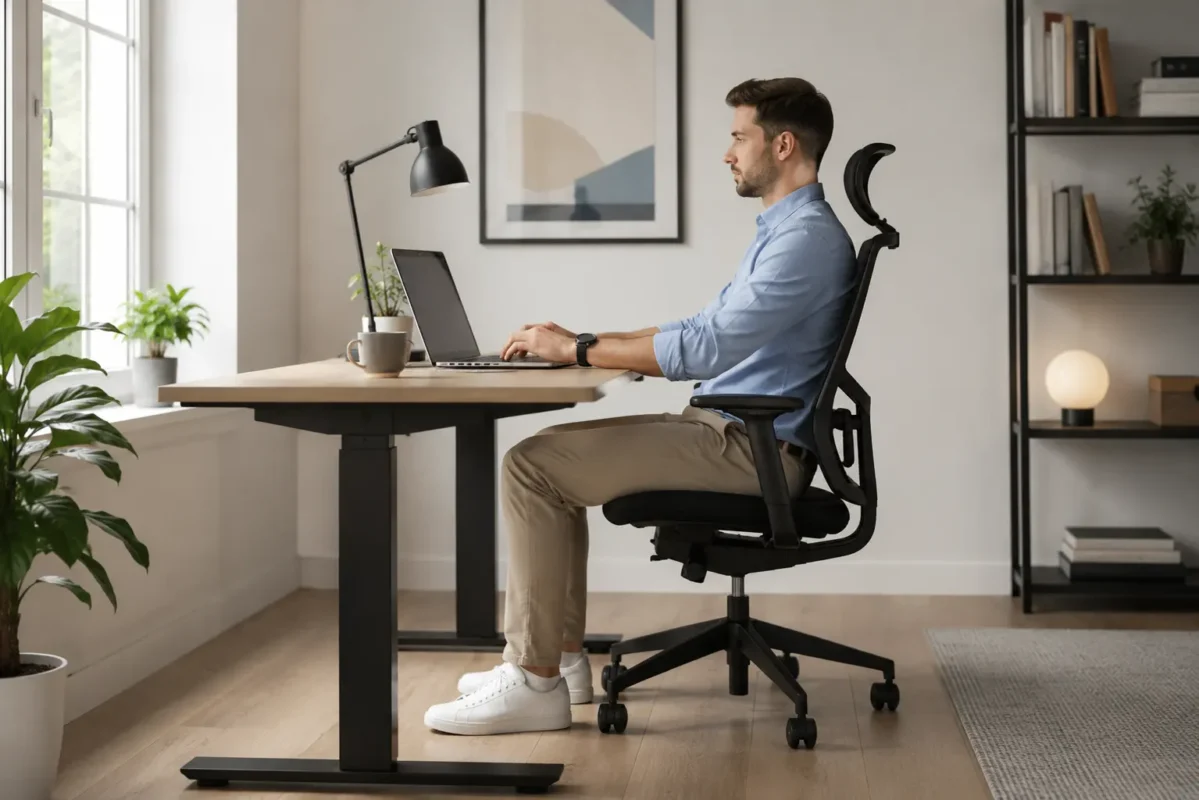
Table of Contents
- Why an Ergonomic Chair Health Check Matters
- Best Ergonomic Chairs 2026 — Types Compared
- The 7-Point Ergonomic Chair Health Check
- Warning Signs Your Chair Is Failing the Check
- Ergonomic Chair vs Standard Office Chair
- How to Run the Health Check at Home
- What to Look for in a Replacement
- Ergonomic Chair Price Guide
- Frequently Asked Questions
Why an Ergonomic Chair Health Check Matters
A chair that doesn’t support your body forces your muscles and joints to compensate for hours at a time. Over weeks and months, that compensation turns into chronic tension, poor circulation, and posture damage that’s hard to reverse. According to Mayo Clinic, proper chair height, correct spinal support, and good desk posture play a direct role in avoiding neck, back, wrist, and shoulder pain from seated work — small adjustments to your setup genuinely change how your body feels at the end of the day, as explained in their office ergonomics guide.
Running a quick health check on your chair every few months helps you catch problems before they become injuries.
Best Ergonomic Chairs 2026 — Types Compared
There are five main ergonomic chair types on the market. Here’s how they compare, so you know what to look for once your current chair fails the health check.
Mesh Ergonomic Chair
The most popular ergonomic chair type. Mesh chairs use a breathable, tensioned back panel that flexes to support natural spine movement, paired with adjustable lumbar support and armrests.
Best for: hot climates, long sitting hours, and all-day breathability
Executive Leather Chair
Padded, cushioned, and often higher-backed than mesh chairs, executive chairs prioritize plush comfort and a premium look, usually with adjustable recline and armrests.
Best for: shorter sitting sessions and a more formal office look
Kneeling Chair
A backless design that shifts weight onto the shins, angling the hips forward to encourage a naturally straighter spine without traditional lumbar support.
Best for: people who want to actively engage their core and reduce lower-back compression
Saddle Chair
Shaped like a horse saddle, this design opens the hip angle beyond 90°, which reduces pressure on the lower spine and encourages an upright seated posture.
Best for: detail-focused tasks where leaning forward is common, like drafting or dental work
Gaming Ergonomic Chair
Built with the same ergonomic principles as an office mesh chair — adjustable lumbar, headrest, and armrests — but with a higher backrest and reclining range for longer leisure sessions.
Best for: long gaming or media sessions that go beyond standard work hours
Browse the full range of these ergonomic chair types at Otkaty to find the option that best fits your posture needs.
The 7-Point Ergonomic Chair Health Check
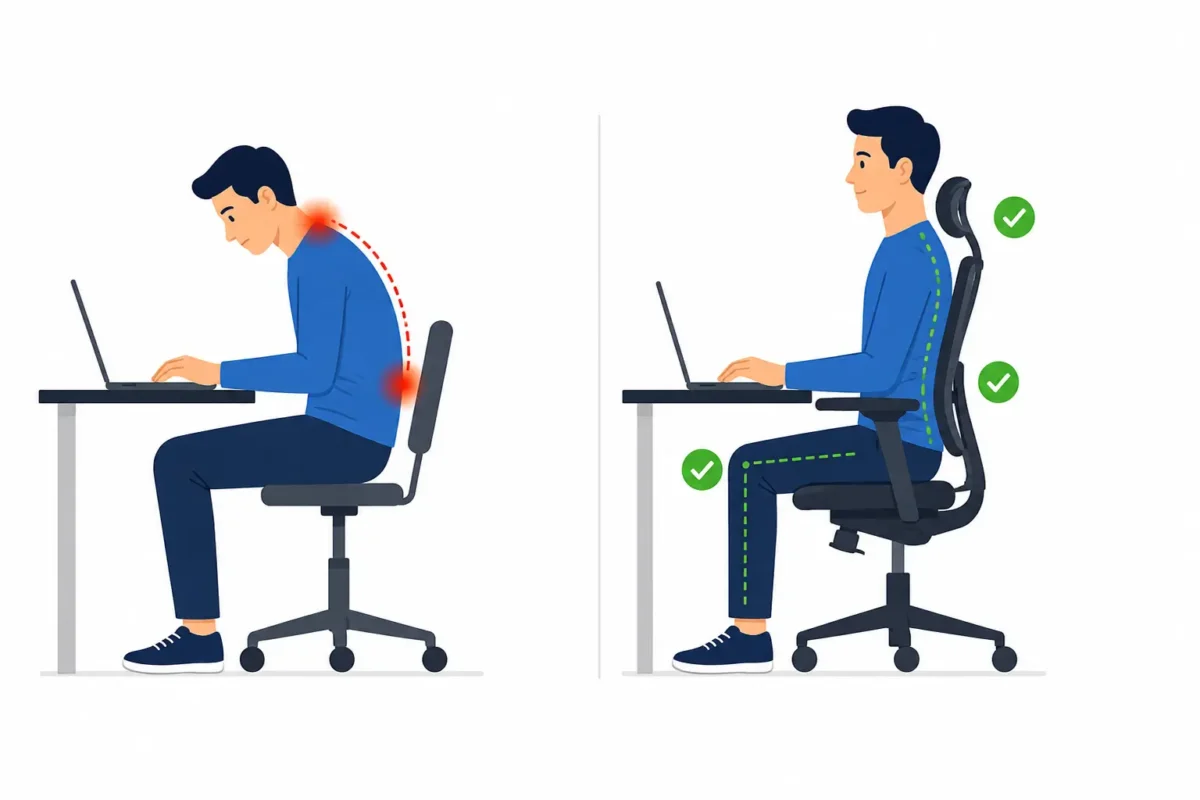
Run through this checklist with your current chair. If you’re failing three or more points, your chair may be working against you.
| # | Check | What “Pass” Looks Like |
|---|---|---|
| 1 | Seat height | Feet flat on floor, knees level with hips |
| 2 | Lumbar support | No gap in the small of your back |
| 3 | Seat depth | 2–4 fingers between knee and seat edge |
| 4 | Armrest position | Shoulders relaxed, not hunched or raised |
| 5 | Backrest recline | Reclines 100–110° without resistance |
| 6 | Swivel and mobility | Smooth, full rotation without effort |
| 7 | Cushion condition | Doesn’t bottom out under light pressure |
1. Seat Height
Your feet should rest flat on the floor (or on a footrest), with your knees roughly level with your hips. If you’re constantly reaching for the floor or your knees are pushed up higher than your hips, your seat height is wrong for your body.
2. Lumbar Support
Slide your hand into the small of your back while seated. There should be a natural curve supported by the chair, not a gap. Weak or missing lumbar support is one of the leading causes of lower back pain from sitting.
3. Seat Depth
There should be roughly two to four fingers of space between the back of your knees and the front edge of the seat. Too deep, and you’ll slouch to reach the backrest; too shallow, and your thighs won’t be properly supported.
4. Armrest Position
Your shoulders should stay relaxed, not hunched. Armrests that are too high push your shoulders up; too low, and you’ll lean sideways to rest your elbows.
5. Backrest Recline and Tension
A good chair lets you recline slightly (100–110°) without feeling like you’re falling backward or fighting the chair to sit upright. Fixed, non-adjustable backrests are a red flag.
6. Swivel and Mobility
Chairs that don’t swivel smoothly encourage you to twist your spine instead of turning your whole body — a habit that strains your lower back over time.
7. Material and Cushioning
Press down on the seat cushion. If it bottoms out immediately or feels compressed and worn, the padding has broken down and is no longer distributing your weight properly.
Warning Signs Your Chair Is Failing the Check
- Lower back pain that eases when you stand up
- Tingling or numbness in your legs after sitting
- Neck or shoulder tension by mid-afternoon
- Constant shifting and repositioning to get comfortable
- Visible wear, sagging, or a broken recline mechanism
If two or more of these sound familiar, it’s a strong signal that your current chair has failed its health check and it’s time to look at a proper ergonomic replacement.
Ergonomic Chair vs Standard Office Chair
| Feature | Standard Office Chair | Ergonomic Chair |
|---|---|---|
| Lumbar support | Fixed or none | Adjustable, moves with spine |
| Seat height | Limited range | Full adjustable range |
| Seat depth | Fixed | Often adjustable |
| Armrests | Fixed or basic | Height and width adjustable |
| Recline mechanism | Basic or none | Tension-controlled, 100–110° |
| Material lifespan | Compresses within 1–2 years | Holds shape for 5+ years |
| Price range | $50–$130 | $130–$500+ |
Our takeaway: a standard chair can pass a health check for light, occasional use, but for anyone sitting 4+ hours a day, an adjustable ergonomic chair is the safer long-term choice for your spine.
How to Run the Health Check at Home
- Sit normally in your chair for two minutes, as you would while working.
- Check your feet — flat on the floor or footrest, not dangling or tucked under you.
- Check your back — slide a hand into the small of your back to feel for support.
- Check your shoulders — are they relaxed, or creeping up toward your ears?
- Stand up and press the seat cushion — does it spring back, or stay compressed?
- Score yourself against the 7-point checklist above and note any fails.
If your chair fails, don’t just adjust around the problem — a chair that can’t be properly adjusted to fit your body will keep causing strain no matter how you sit in it.
What to Look for in a Replacement
When your chair doesn’t pass the check, prioritize:
- Adjustable lumbar support that moves with your spine
- Seat height and depth adjustment to fit your body, not the other way around
- Breathable, supportive cushioning that holds its shape over years of daily use
- Adjustable armrests to keep shoulders relaxed
- A weight-rated, sturdy base built for long-term daily sitting
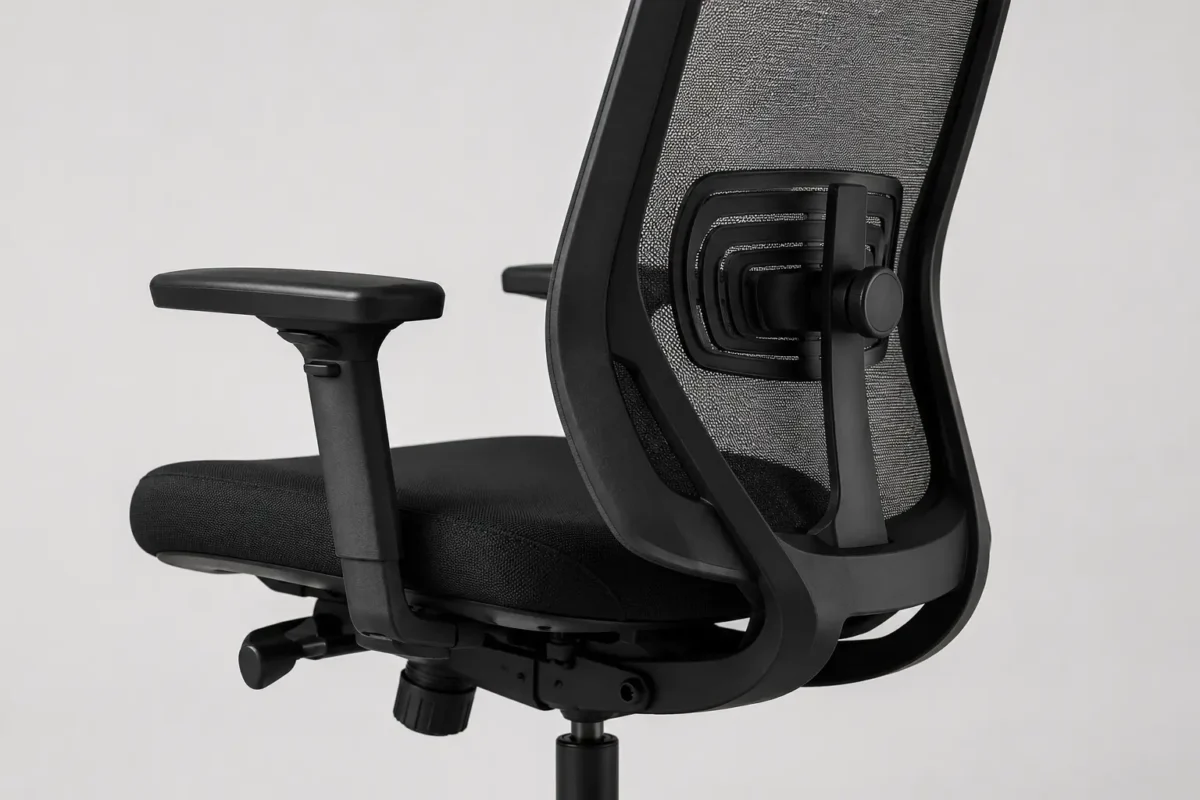
Browse our full range of supportive, adjustable seating built around these exact standards in the ergonomic chair collection at Otkaty, where every model is designed to pass this exact health check.
Ergonomic Chair Price Guide
| Budget | What You Get |
|---|---|
| Under $130 | Basic adjustability, limited lumbar support, shorter lifespan |
| $130–$300 | Full lumbar and height adjustment, mid-tier materials |
| $300–$500+ | Premium build, mesh/memory foam, multi-point adjustment, longer warranty |
View the full ergonomic chair range at Otkaty
Frequently Asked Questions
What is an ergonomic chair health check? It’s a quick 7-point assessment of your chair’s seat height, lumbar support, seat depth, armrests, recline, mobility, and cushioning — designed to spot whether your chair is supporting your body correctly or contributing to pain.
How often should I check my chair? Every three to six months, or immediately if you start noticing new back, neck, or shoulder discomfort during or after sitting.
Can adjusting my current chair fix the problem? Sometimes. If your chair has the right adjustment features but they’re set incorrectly, fixing the settings can solve the issue. If the chair lacks proper lumbar support or adjustability entirely, no amount of adjusting will fully fix it.
What’s the biggest cause of chair-related back pain? Missing or inadequate lumbar support is the most common cause, followed closely by incorrect seat height and worn-out cushioning that no longer holds its shape.
How long does an ergonomic chair last? A good-quality ergonomic chair typically holds its support and cushioning for 5–8 years with daily use, compared to 1–2 years for a basic standard chair.
Is it worth replacing my chair, or just adding a cushion? A cushion can offer temporary relief, but it doesn’t fix poor lumbar support, incorrect height, or a broken recline mechanism. If your chair fails multiple points on the health check, a proper ergonomic replacement is the better long-term fix.
Ready to fix the root cause instead of just the symptoms? Explore ergonomic seating options built for real, all-day comfort at Otkaty.